
View
Scene hierarchy
Select objects, meshes, and geometry inside a 3D file
Most 3D files are not one clean object.
They can contain a root scene, empty nodes, object groups, meshes, geometry, materials, cameras, and whatever naming scheme the source app decided to export that day. The scene tree shows that structure.
Use the tree
The tree is most useful when the canvas does not tell the whole truth.
A file can have visible objects, empty wrapper nodes, nested groups, and many meshes with similar names. Open the tree when you need to know where the geometry actually lives.
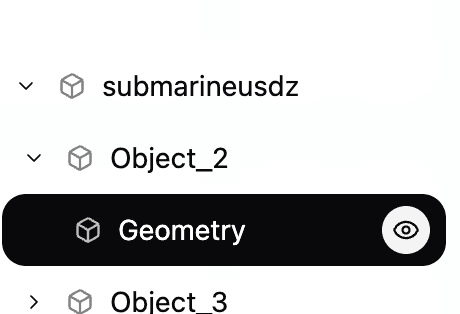
Select a mesh or geometry node to highlight it in the viewer.
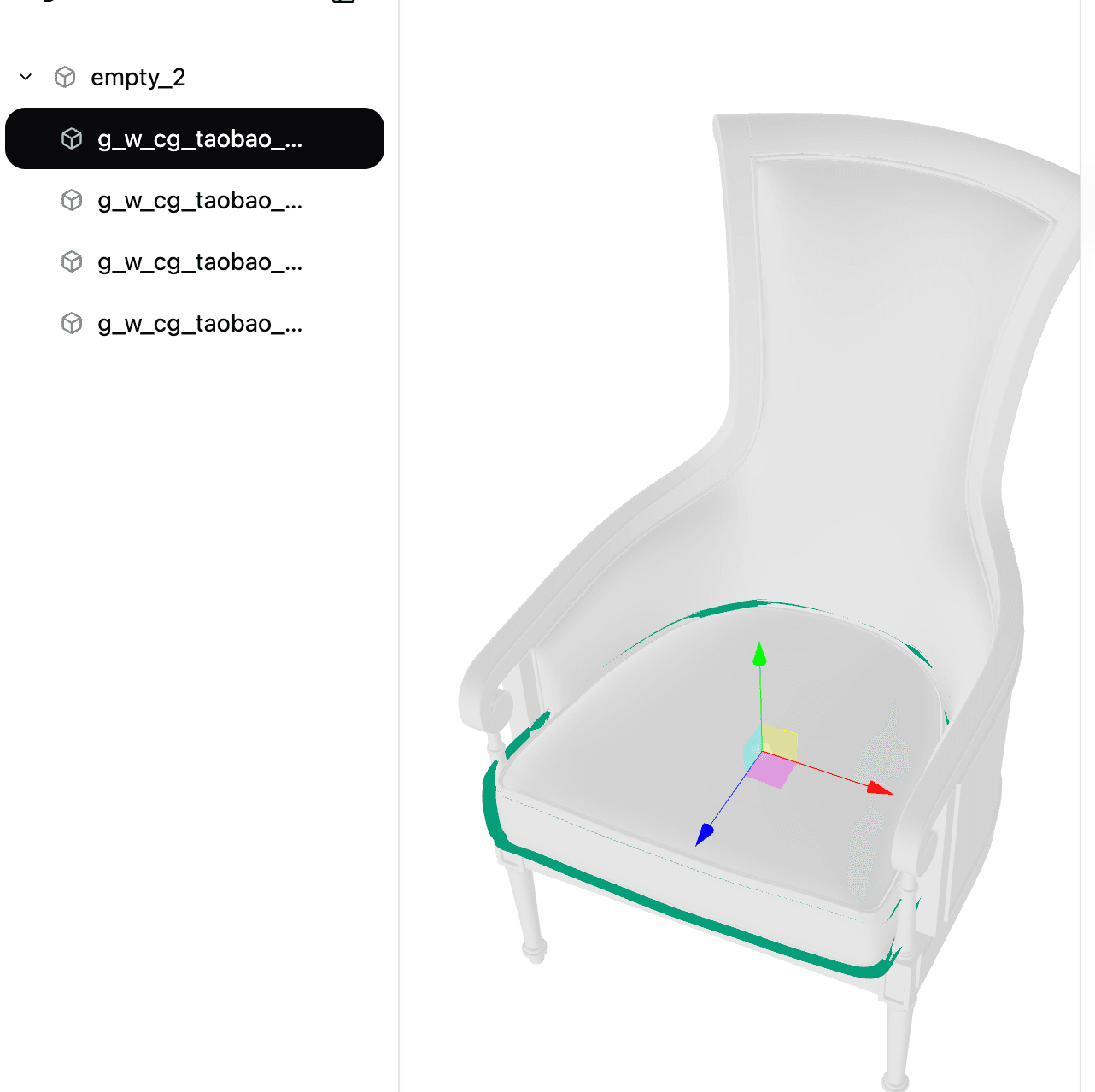
This helps when:
- the file has many parts
- the model looks empty but may have geometry in a child node
- one product part or CAD assembly piece needs to be checked
- a conversion kept the model but changed the structure
Visibility
The eye control in the tree shows or hides a selected part. This is useful when one object blocks another, or when you want to check whether a small part exists without deleting anything.
If hiding one node makes more of the model disappear than expected, the file probably has nested groups. Select the parent and child nodes one at a time before assuming the wrong part was imported.
Selected node details
Selecting a node shows the data Convert3D can read from that part.
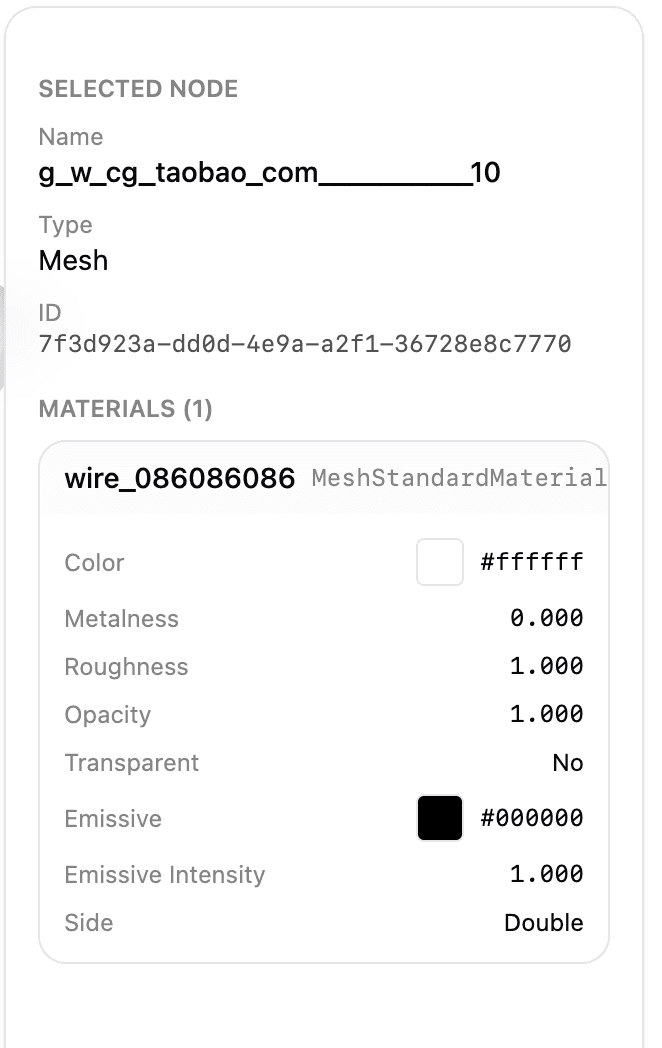
For meshes, the panel can show the mesh name and the material assigned to that mesh.
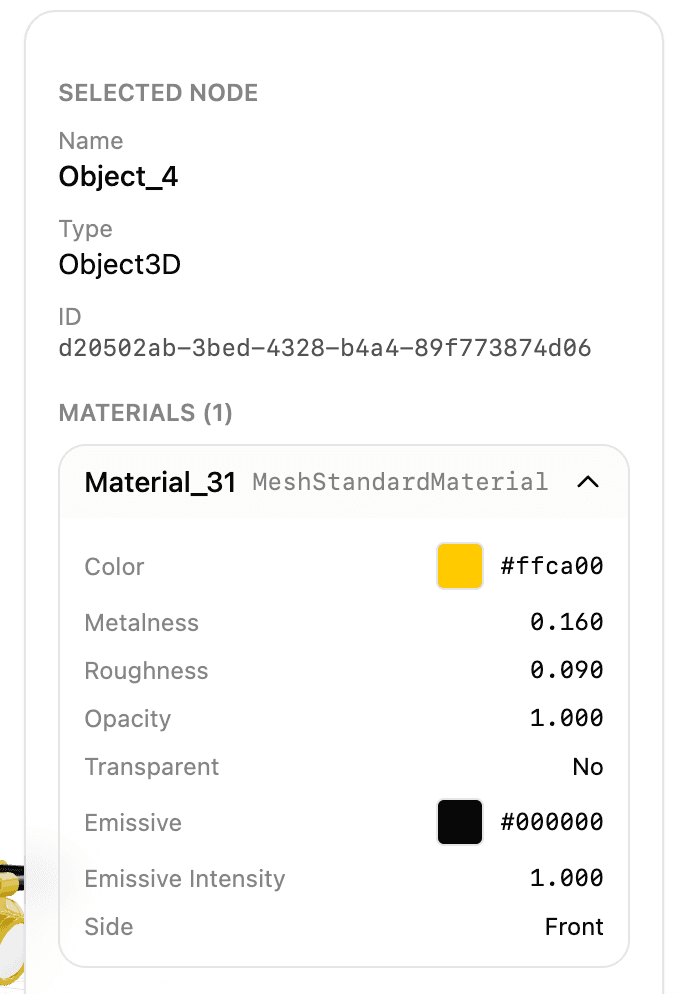
Pay more attention to the Type and material values than the object name. Names like Object_4 or g_w_cg_taobao... usually come from the exporter. They are ugly, but they are not proof that the model is broken.
If the model looks empty
Fit the model to the view first.
If it still looks empty, open the scene tree and look for geometry below empty wrapper nodes. A file can have a visible root object with no geometry of its own. Very helpful, in the way 3D files sometimes are.
If a part is missing
Check whether the part exists in the scene tree.
If it does not appear there, the source file may not have imported correctly, or the missing part may depend on an external file that was not included. This is common with formats that reference textures, material libraries, or linked assets outside the main file.